Flowbit
Designing a product-led landing page for a no-code automation platform focused on clarity, conversion, and trust.
Role: UX/UI Designer, Product Designer
Tools: Figma, Figma Make, Chat GPT
Platform: Web
Context
Flowbit is a fictional SaaS platform that helps teams automate workflows without writing code.
The product targets non-technical teams that struggle with fragmented tools, manual processes, and lack of visibility across operations.
The goal of this project was to design a landing page that clearly communicates product value while reducing perceived complexity, a common barrier for automation tools.
Problem
"Automation tools often feel intimidating."
From initial research and market observation, three key problems stood out:
Automation platforms tend to feel too technical for non-engineering teams
Messaging often focuses on features instead of outcomes
Visual language frequently reinforces complexity instead of reducing it
As a result, potential users hesitate to engage, even when the product could genuinely help them.
Project Goal
Design a product-led landing page that:
Clearly explains what the product does
Reduces cognitive load and perceived complexity
Builds trust quickly for first-time visitors
Success Criteria
Users understand the value proposition within the first screen
The automation flow feels visual, intuitive, and approachable
The page supports conversion without aggressive sales language
Product Design Approach
Instead of treating the landing page as a purely marketing asset, I approached it as a product surface.
Key decisions:
Use the flow builder as the central visual metaphor across the page
Prioritize clarity over feature density
Maintain a consistent visual system to reinforce product understanding
This ensured the landing page felt like an extension of the product — not a disconnected marketing artifact.
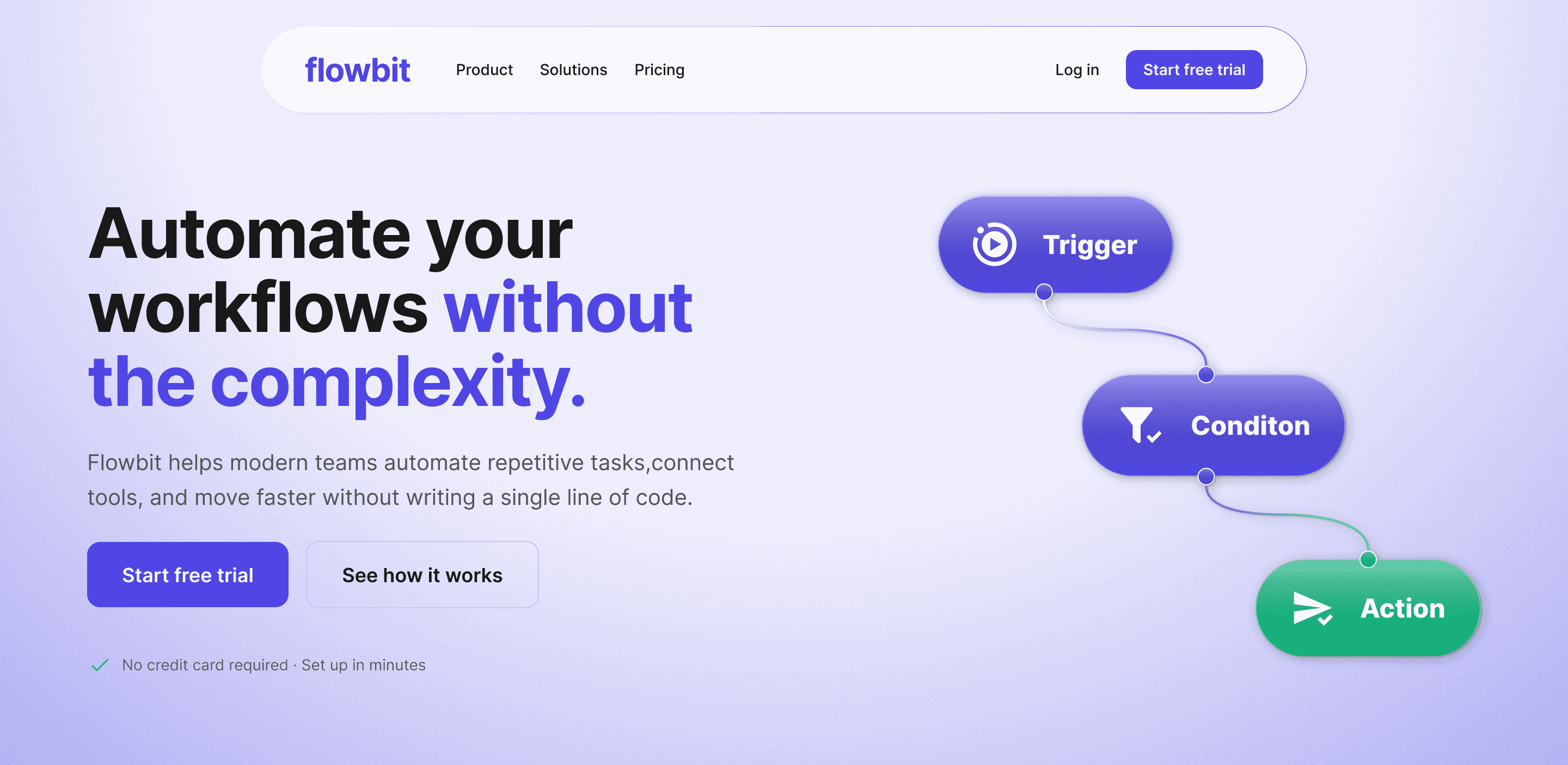
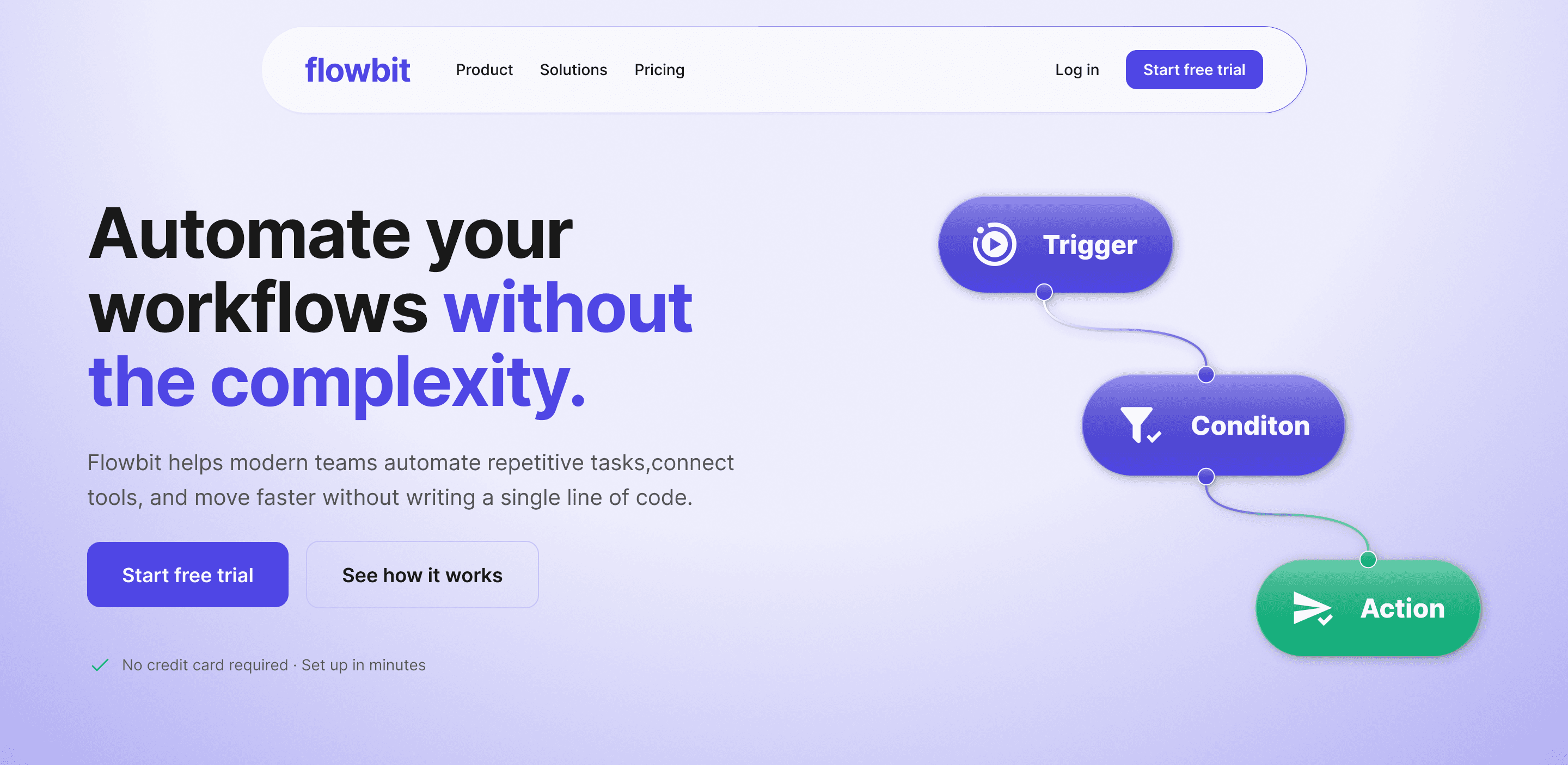
Product First Hero
The hero section was designed to answer three questions instantly:
What is this product?
Who is it for?
Why is it different?
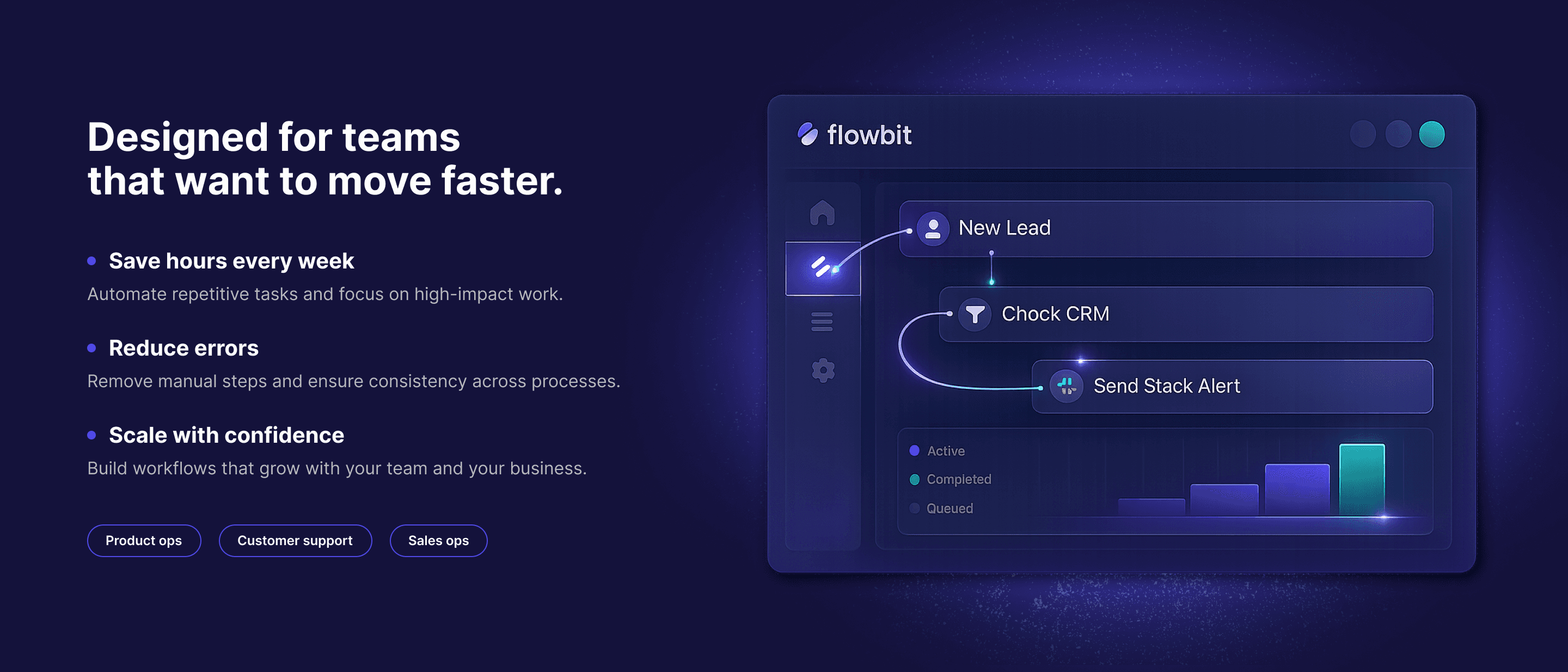
A simplified visual flow (Trigger → Condition → Action) reinforces the core product concept without requiring explanation.
Problem Framing Before Features
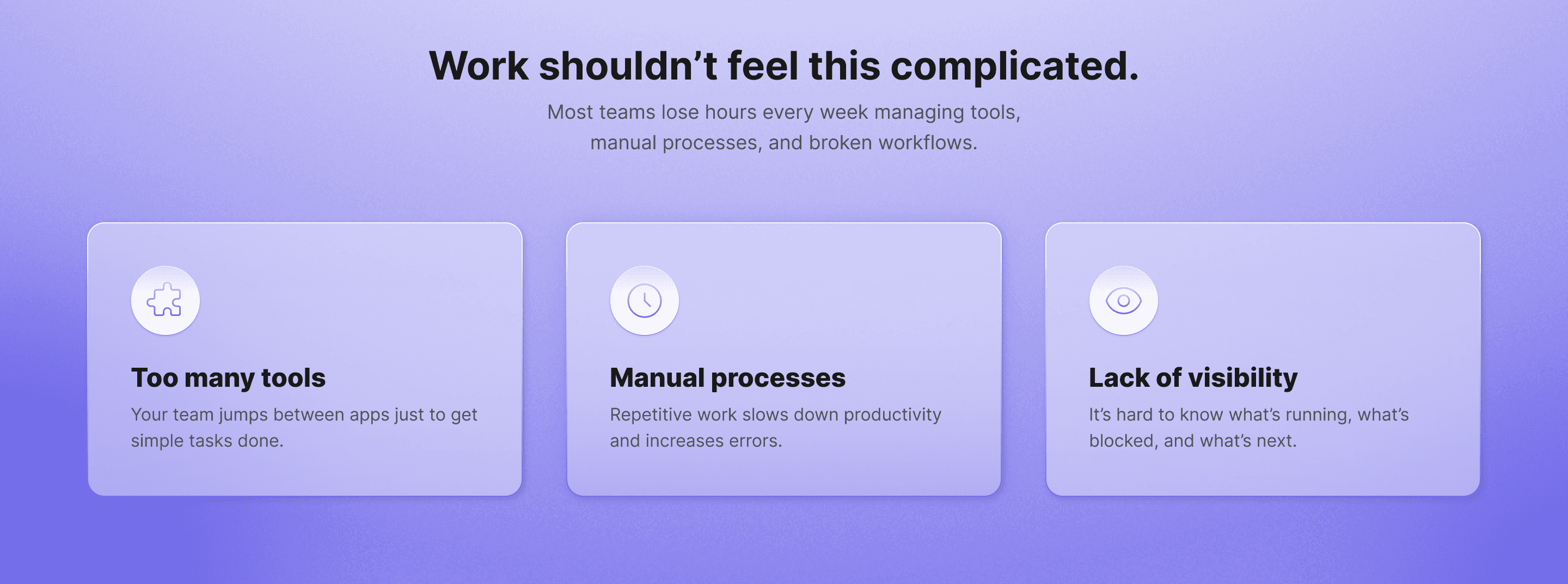
Instead of jumping into capabilities, the page first highlights:
Tool fragmentation
Manual processes
Lack of visibility
This creates immediate alignment with the user’s reality before introducing the solution.
Visualizing the Workflow, Not the Dashboard
Rather than showing complex dashboards or metrics:
The product is represented through abstract, high-fidelity UI states
Visuals emphasize structure, flow, and states — not data overload
This helps users feel how the product works before fully understanding it.
Outcome-Oriented Messaging
Copy focuses on:
Time saved
Error reduction
Confidence at scale
Each benefit is framed from the user’s perspective, reinforcing value instead of functionality.
Final Solution
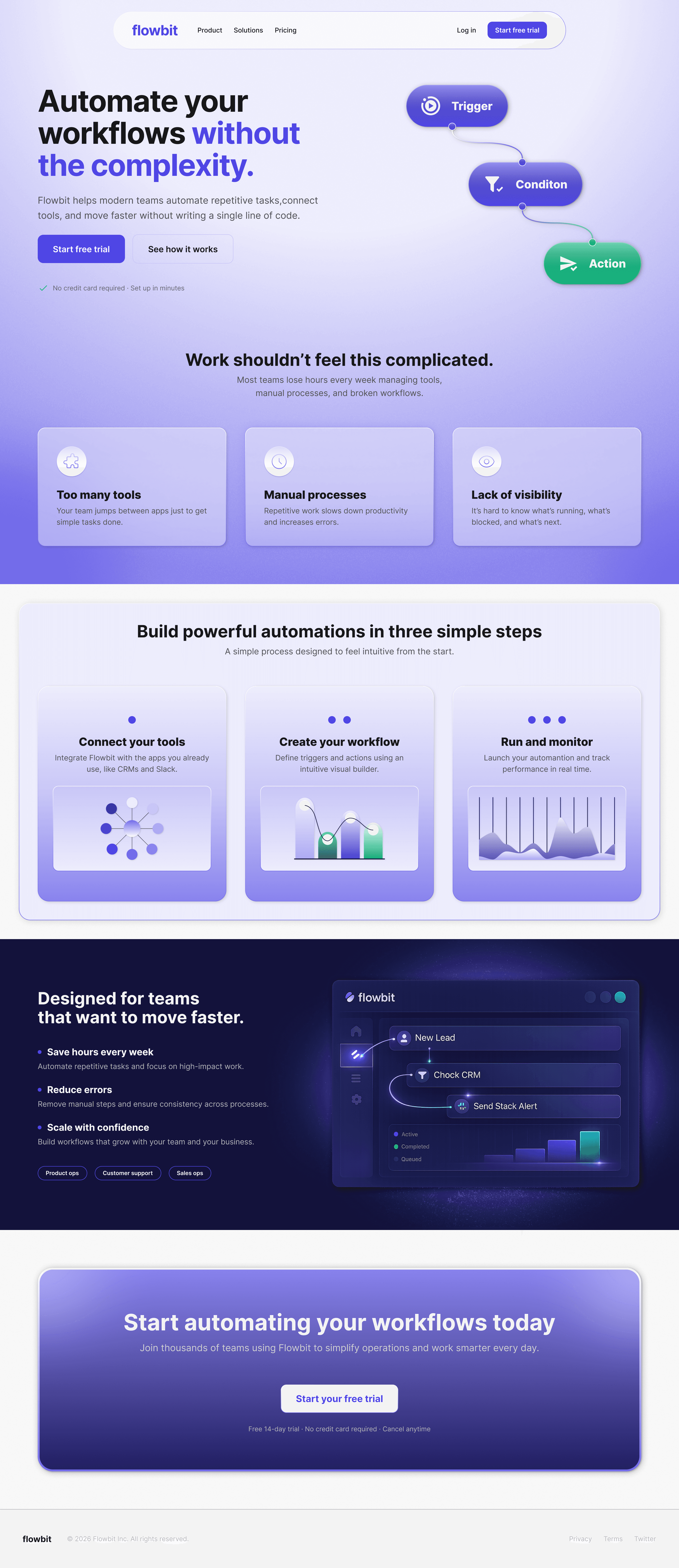
The final deliverable is a responsive SaaS landing page that:
Communicates the product through a consistent visual system
Balances clarity, aesthetics, and conversion
Positions automation as accessible and intuitive
The landing page acts as both:
A marketing entry point
A conceptual introduction to the product experience
What This Project Demonstrates
This project highlights my ability to:
Apply product thinking to marketing surfaces
Translate abstract product concepts into clear visual systems
Balance user needs, business goals, and aesthetic quality
Rather than designing isolated screens, the focus was on storytelling, clarity, and user perception.
Next Steps
If this were a real product, the next steps would include:
A/B testing hero messaging and CTAs
Extending the visual system into onboarding flows
Validating assumptions through user testing